











SecurityHub Discount - Up to 20% off
Cloud-based cybersecurity platform that simplifies the configuration of security policies and protocols across the IL environment.
Get discountCategory
Cybersecurity Software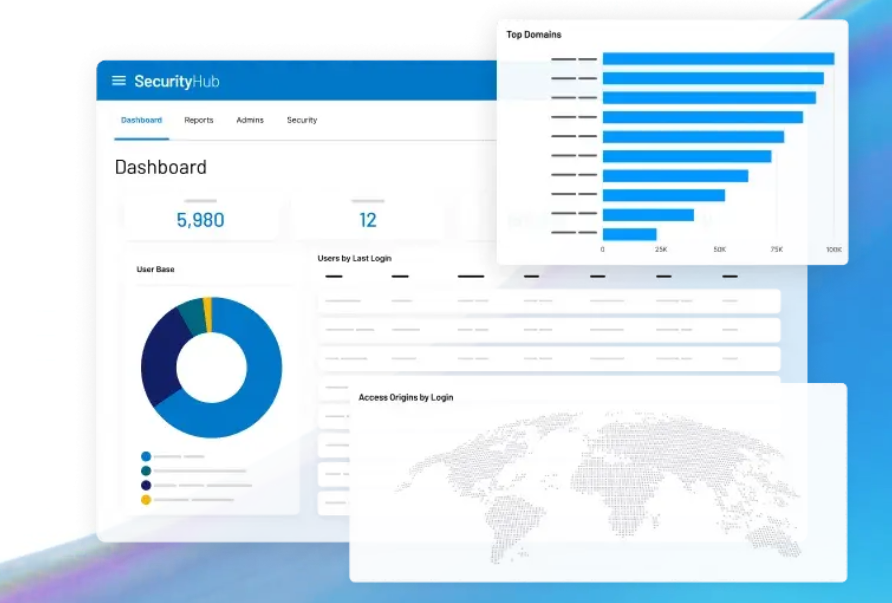
What is SecurityHub?
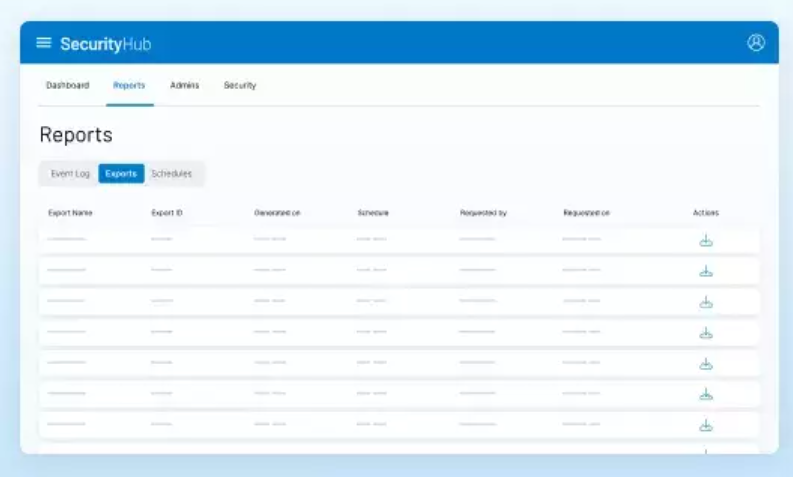
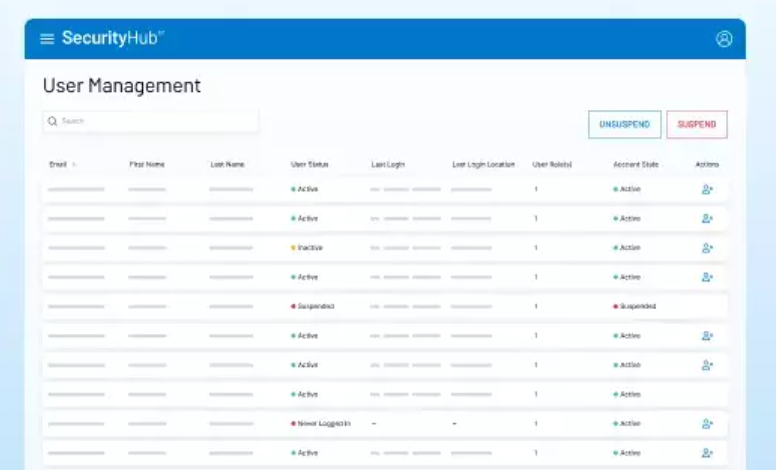
SecurityHub is a cloud-based cybersecurity governance platform that offers comprehensive control and visibility across the Intralinks ecosystem. It enables IT teams to enforce security policies, manage user access controls, and maintain audit readiness through a single interface. Key features include single sign-on access control, a security dashboard for monitoring potential threats, centralized user management across all Intralinks applications, and compliance reporting tools that track login activity and file interactions. The platform generates reports using audit trails of user activity, including sent and received attachments, emails, alerts, and messages. SecurityHub helps organizations monitor users and files to prevent improper information exposure while offering different tiers to address various security requirements.
Based on the provided product data, the six most important features of SecurityHub are:
- Access Control with SSO
- Comprehensive Security Dashboard
- Centralized User Management
- Compliance Reporting Tools
- Audit Trail Generation
- Tiered Security Options
Eligibility
Number of Seats/Users: SecurityHub offers discounts based on the number of users or seats. A higher volume typically leads to a better discount structure, especially for enterprise-level usage.
Commitment to a Long-Term Contract: Discounts are often provided to companies that commit to using the service for a longer period (e.g., 1-year or 3-year contracts). A longer commitment shows SecurityHub that the company is serious and willing to invest in the platform long-term.
No Active Discounts: Companies that are not already receiving other active discounts may have a better chance of qualifying for additional discounts from SecurityHub. SecurityHub reserves discounts for new customers or those not currently under promotional pricing.
Volume or Usage Commitment: SecurityHub offers discounts if you agree to a minimum amount of usage or transaction volume. This could be based on data storage, transactions, or other metrics tied to how much you will use the platform.
Enterprise-Level Negotiation: Companies that qualify as “enterprise” due to their size or complexity (e.g., having large teams, multiple departments, or geographical presence) may be eligible for additional discounts from SecurityHub. Such companies are often in a position to negotiate for better pricing.
Early Renewal or Prepayment: SecurityHub often offers discounts if you renew early or prepay for the entire contract period. This is a common approach to securing a lower price.

SecurityHub - Up to 20% off
Reviews
Hey there! As a Spendbase discount specialist, I’ve gathered some insights from our clients about SecurityHub. Here’s what we’ve found:
Key Benefits:
-
Centralized Security Management: Clients appreciate having a unified dashboard that consolidates security alerts and compliance statuses across various AWS services. This centralization simplifies monitoring and enhances visibility.
-
Integration with AWS Services: SecurityHub’s seamless integration with other AWS tools like GuardDuty and Inspector allows for efficient threat detection and response.
-
Automated Security Checks: The platform’s ability to perform continuous, automated security assessments based on industry standards helps maintain compliance and identify vulnerabilities promptly.
Areas for Improvement:
-
Cost Considerations: Some clients note that while SecurityHub offers robust features, the associated costs can be significant, especially for organizations with extensive AWS resources.
-
Initial Setup Complexity: Setting up SecurityHub can be intricate, requiring careful configuration and understanding of AWS services.
-
Alert Management: The volume of alerts generated can be overwhelming. Clients suggest that more refined filtering and prioritization mechanisms would enhance usability.
Recommendations:
-
Budget Planning: Evaluate the cost implications of implementing SecurityHub in relation to your organization’s size and resource usage.
-
Comprehensive Training: Invest in thorough training for your IT team to navigate the setup process effectively and leverage all features.
-
Alert Optimization: Customize alert settings to focus on critical issues, reducing noise and improving response times.
In summary, SecurityHub offers a powerful suite of tools for managing cloud security, but it’s essential to consider the associated costs and invest in proper setup and training to maximize its benefits.
See how much you can save on your stack
Pick your team’s tools!
Click to select one or more tools.


What’s your company size?
Just click to select.
What’s your business email?
We'll send you calculations right away
The email is flying to your inbox!
Beyond discounts, you may qualify for up to $100K in AWS credits.

FAQ
1. What is the AWS Security Hub free trial?
AWS Security Hub offers a 30-day free trial, including essentials plan capabilities, for each AWS account in each region.
2. How is Security Hub pricing calculated?
Pricing is based on the average number of AWS resources monitored per month, with specific rates for EC2 instances, Lambda functions, ECR container images, and IAM users/roles.
3. Can I estimate my Security Hub costs before enabling it?
Yes, use the Security Hub Cost Estimator to analyze your AWS resources and current security service usage for accurate cost projections.
4. Are there any discounts available for Security Hub?
Security Hub offers streamlined pricing plans that may provide cost savings compared to individual service pricing.
5. What happens after the Security Hub free trial ends?
After the 30-day free trial, standard pricing applies based on your resource usage and selected plans.
6. Does Security Hub pricing include enterprise discounts?
Modified estimates do not include enterprise discounts; only Cost Explorer data reflects actual discounted costs.
7. How can I monitor my Security Hub usage during the free trial?
Monitor your usage through the AWS billing console to estimate ongoing costs based on actual usage during the free trial.
8. Is there a cost associated with disabling Security Hub?
Disabling Security Hub stops future charges, but existing findings and configurations are deleted after 90 days and cannot be recovered.
Related discounts

MailGuard
Cybersecurity Software
Up to 15% off

OpenVPN Access Server
Cybersecurity Software
Up to 30% off

PhishingBox
Cybersecurity Software
Up to 50% off

Phishing Tackle
Cybersecurity Software
Up to 20% off

Protegent Antivirus
Cybersecurity Software
Up to 40% off

FileWall
Cybersecurity Software
Up to 35% off
Software cost optimization
SecurityHub savings in five steps
Let’s estimate your potential savings and see how you can scale your cloud infrastructure.
One call. No cost. No commitments


meet vendor relationship EXPERTS
Our customers save millions with us



Save on SecurityHub
It’s time to shrink your bill
Let our SaaS cost optimization experts check what deals you can get and how much you can save on your corporate subscriptions
See how you can:
- Learn about pricing benchmarks and discounts
- Present potential savings by vendor to your team
- Meet your SaaS and cloud cost optimization goals
Get SecurityHub discount
We’ll email you back within 1 business day